..:: PCSX2 Forums ::..
Register | Help | Log In |
Register PCSX2 Site Forums Member List Donate View Today's Posts Search

Current time: 05-23-2013, 03:44 AM Hello There, Guest! (Login — Register)

..:: PCSX2 Forums ::.. / PCSX2 Discussion and Support / General Discussion and Support (Windows) v
« Previous 1 ... 321 322 323 324 325 ... 934 Next »
/ Grandia III Graphics/Texture issue


User(s) browsing this thread: 1 Guest(s)

Pages (2): 1 2 Next »
Thread Closed 
 
Thread Rating:
  • 0 Votes - 0 Average
  • 1
  • 2
  • 3
  • 4
  • 5
Threaded Mode | Linear Mode
Grandia III Graphics/Texture issue
Author Message
Charboil Offline
Newbie

Posts: 9
Joined: Feb 2011
Location:
Reputation: 0
Post: #1
Grandia III Graphics/Texture issue
The game plays great on my system. Generally a constant 60 FPS except on the rare occasions I run into a group of 8 or more monsters and then it drops to 40ish. More than playable considering it happens rarely.

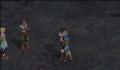
However during cut-scenes I have another problem. They run smoothly based on my settings I have not had any real noticeable slow down except during one scene. But the textures and/or graphics on the character models seem to randomly ehh mix or dissapear. Not sure how to describe it. Please see attached pics.

The first one you may see nothing, its hard to tell in a still image. But even in the scenes where the textures don't break up it seems some dark surfaces (usually the character shadows only) break up.

The 2nd pic is self explanatory.

Whats interesting is if I hit esc and then resume during the middle of a scene it randomly fixes the issues, sometimes for the rest of the scene, usually only until the camera changes again. Sometimes I have to disable or enable a hack. I have tried every configuration I can think of to fix this. No hacks, all EE hacks, even tried the game fixes to see if any of them worked.

If you have played Grandia 3 please let me know if you have experienced this or not yourself? Could this just be an issue with the current stage of the emulator? The game is still more than playable just trying to see if I can get rid of the graphic problems.

I play in DX 10/11 hardware mode, D3D Internal Res 1024x1024 *have messed with this as well, didn't work* 1x scaling, 1 HW AA (turned it off doesn't work). I have tried Native Resolution but besides the game looking like crap the problem still occurs.

Texture filtering is checked.

Hacks: Enable INTC Spin Detection, Enable Wait Loop Detection, mVU Flag Hack, mVU Block Hack.

EE set to 1, VU set to 0

I forgot to mention I am using PCSX2 0.9.7. Tried to downgrade to 0.9.6 and see if that would fix it but can't get it to read my memory cards/save states and with how far I am don't want to start over.

System Specs:
Windows 7 64
AMD Phenom™ II X4 965 3.41
Geforce GTX 570
4 gigs of ram


(This post was last modified: 02-14-2011 12:42 AM by Charboil.)
02-14-2011 12:36 AM
Find all posts by this user
GamerGeek Offline
Helpful Hermit
****

Posts: 876
Joined: Jan 2009
Location: 2 miles southeast of nowhere
Reputation: 16
Post: #2
RE: Grandia III Graphics/Texture issue
Im playing this currently using the latest beta and I dont have this issue, and your settings look very much like my own. The game works great on default for me, except for using scaling x3. Have you tried without speedhacks on?

Specs:
CPU: C2D E8400 @ 3.6
GPU: GTX 560Ti 2Gb
MOB: Asus P5QL
RAM: Crucial 4Gb
OS: Windows 7 64bit/XP 32bit
02-14-2011 12:57 AM
Find all posts by this user
Charboil Offline
Newbie

Posts: 9
Joined: Feb 2011
Location:
Reputation: 0
Post: #3
RE: Grandia III Graphics/Texture issue
(02-14-2011 12:57 AM)GamerGeek Wrote:  Im playing this currently using the latest beta and I dont have this issue, and your settings look very much like my own. The game works great on default for me, except for using scaling x3. Have you tried without speedhacks on?

Yea. I have tried everything I can think of for settings. What really makes it weird as I mentioned is that if I hit escape and then resume it occasionally fixes the problem.
By any chance could it be cause I am using AMD instead of Intel?
(This post was last modified: 02-14-2011 01:14 AM by Charboil.)
02-14-2011 01:11 AM
Find all posts by this user
GamerGeek Offline
Helpful Hermit
****

Posts: 876
Joined: Jan 2009
Location: 2 miles southeast of nowhere
Reputation: 16
Post: #4
RE: Grandia III Graphics/Texture issue
Doubtful, I dont think it matters what cpu you use. Although Im having a tough time thinking of anything that would cause that issue since your settings dont seem to be off. Are you drivers up to date? Also post screens of all your settings and Ill see if I can recreate issue over here. Cant to that now though as Im off to bed but Ill check back tomorrow and see if I can think of anything then.

Specs:
CPU: C2D E8400 @ 3.6
GPU: GTX 560Ti 2Gb
MOB: Asus P5QL
RAM: Crucial 4Gb
OS: Windows 7 64bit/XP 32bit
02-14-2011 01:19 AM
Find all posts by this user
Charboil Offline
Newbie

Posts: 9
Joined: Feb 2011
Location:
Reputation: 0
Post: #5
RE: Grandia III Graphics/Texture issue
Hopefully we can fix this. Thinking whatever is wrong here is the same thing that's affecting my Suikoden 5 game. There I just have straight up missing textures when both in cut scenes and in the game. At least in Grandia III its only the character models and only during cut scenes, gameplay is working 100%

See requested attachments. If I forgot anything let me know. Also you will see Vsync is on. I just turned that out to test and see if it would do anything. I know its not what it was designed for but couldn't think of anything else.

You will see that Vsync is enabled. I just turned it on. Figured I would give it a shot since I had done everything else.


(This post was last modified: 02-14-2011 01:50 AM by Charboil.)
02-14-2011 01:48 AM
Find all posts by this user
Charboil Offline
Newbie

Posts: 9
Joined: Feb 2011
Location:
Reputation: 0
Post: #6
RE: Grandia III Graphics/Texture issue
Hmm just tested something else. Seems if I run the game in DX 10/11 software mode I don't get the issue. Or course the game runs at a crawl but at least its something new. Can't get the game to run in DX 9 mode to test that on either hardware or software tho.

Just double checked I have the current Direct X drivers and I know my card drivers are up to date. Just updated them 2 weeks ago.
(This post was last modified: 02-14-2011 02:26 AM by Charboil.)
02-14-2011 01:53 AM
Find all posts by this user
Charboil Offline
Newbie

Posts: 9
Joined: Feb 2011
Location:
Reputation: 0
Post: #7
RE: Grandia III Graphics/Texture issue
And this is what it does in DX9. A lot more bearable but still shouldn't be happening. Plus it seems to run a hell of a lot worse in DX9.


02-14-2011 03:35 AM
Find all posts by this user
GamerGeek Offline
Helpful Hermit
****

Posts: 876
Joined: Jan 2009
Location: 2 miles southeast of nowhere
Reputation: 16
Post: #8
RE: Grandia III Graphics/Texture issue
Sorry for the delay, was busy all day. Anyway I cant recreate you initial problem over here(except for the dx9 problem), but a couple of things come to mind. First off you seem to be using a diffrent 9.7 version since I cant see any options for "Flush to zero" and "Denormals to zero" in the "EE/IOP" and "VUs" menus. Are you sure you are using the latest beta r3878?
If not get it from the downloads section and try again. Second try making an iso of your disc and use the internal iso loader or linuziso plugin, if you already using an iso change to the methods I specified and make sure not to mount the iso in any program like deamon. Post back with results Ill check up again tomorrow.

Specs:
CPU: C2D E8400 @ 3.6
GPU: GTX 560Ti 2Gb
MOB: Asus P5QL
RAM: Crucial 4Gb
OS: Windows 7 64bit/XP 32bit
(This post was last modified: 02-15-2011 01:32 AM by GamerGeek.)
02-15-2011 01:32 AM
Find all posts by this user
Charboil Offline
Newbie

Posts: 9
Joined: Feb 2011
Location:
Reputation: 0
Post: #9
RE: Grandia III Graphics/Texture issue
No i am using 4282. Downloaded it from the link someone I know gave me. Didn't realize it wasn't an official beta release. Just downloaded the one here, but can't get it to recognize the save states/memory card saves. Is there a way to import memory card saves from one file to the ones the official version uses?
02-15-2011 04:28 AM
Find all posts by this user
jesalvein Offline
Registered IT crowd
*******

Posts: 8.638
Joined: Dec 2008
Location: France
Reputation: 146
Post: #10
RE: Grandia III Graphics/Texture issue
just replace the memcards files with yours.
sve staes will surely be incompatible, though.

CPU : I7 2600K 3.4Ghz OC'ed 4.2Ghz
Chipset : P67 Intel Southbridge
GPU : Geforce nvidia GTX 560
RAM : 6 Go
02-15-2011 06:28 PM
Find all posts by this user
« Next Oldest | Next Newest »
Pages (2): 1 2 Next »
Thread Closed 


  • View a Printable Version
  • Send this Thread to a Friend
  • Subscribe to this thread


Current time: 05-23-2013, 03:44 AM

Contact Us | PCSX2 | Return to Top | Return to Content | Lite (Archive) Mode | RSS Syndication

Powered By MyBB, © 2002-2013 MyBB Group.
Theme created by IncadudeF and modified by bositman